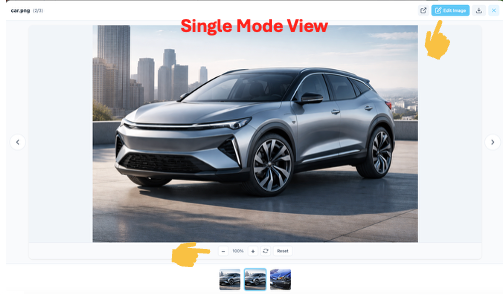
You can view and work with a single image using Image Single View mode, which opens the image in a larger and more focused display.
To open Image Single View mode:
Click the image you want to view.
A Preview screen will open.
In the preview screen, click the blue full-view icon located at the bottom-right corner of the image.
This will open the image in Image Single View mode.
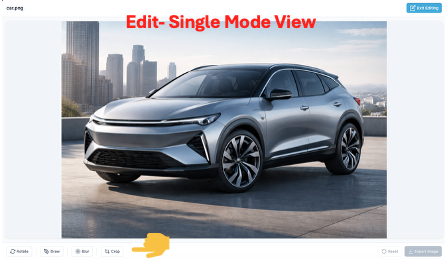
In this mode, you can:
Zoom in or out
Rotate the image
Edit the image (draw, crop, or blur)
Download the image to your local machine

Was this article helpful?
That’s Great!
Thank you for your feedback
Sorry! We couldn't be helpful
Thank you for your feedback
Feedback sent
We appreciate your effort and will try to fix the article